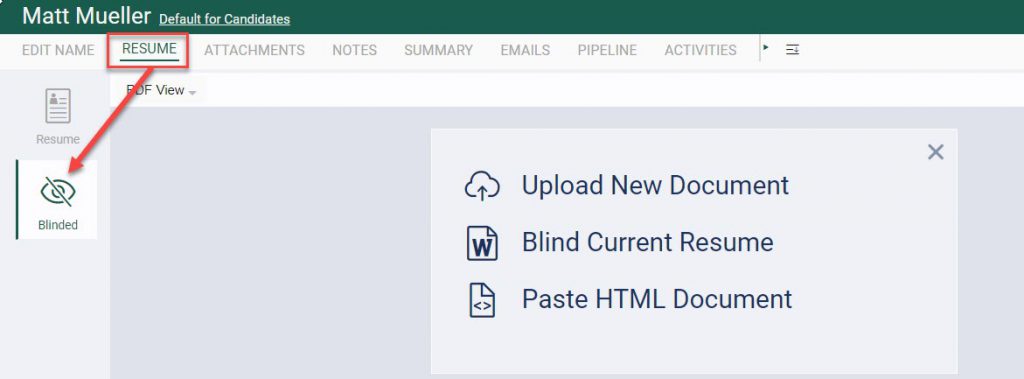
Blinding a resume in PCRecruiter is an excellent method for maintaining an alternative, confidential copy of a candidate’s resume. This process involves removing the candidate’s contact information. Additionally, please note that if a blinded resume is found on a record, it will be the default choice when sending an email.
Here are the steps:
- Access the candidate’s name record.
- Navigate to the Resume icon on the toolbar.
- Select the Blinded option from the menu located on the left side of the screen.
- You will be presented with three blinding options:
- Upload New Document – Choose this option if you have an existing blinded copy saved on your computer. Select the file you wish to use as the blinded resume.
- Blind Current Resume – This option opens the current file in Resume in your default word processing software for editing. Edit the resume as necessary then save, which uploads your changes to the server.
- Paste HTML Document – This choice allows you to paste an HTML document, serving as the blinded resume. Save your document and close the window.
- Click into the Blinded area which is now shaded as “Click to Reload Document.” Your blinded version is now ready for use.